Virtual Meeting Etiquette: 15 Pro Rules You Must Follow
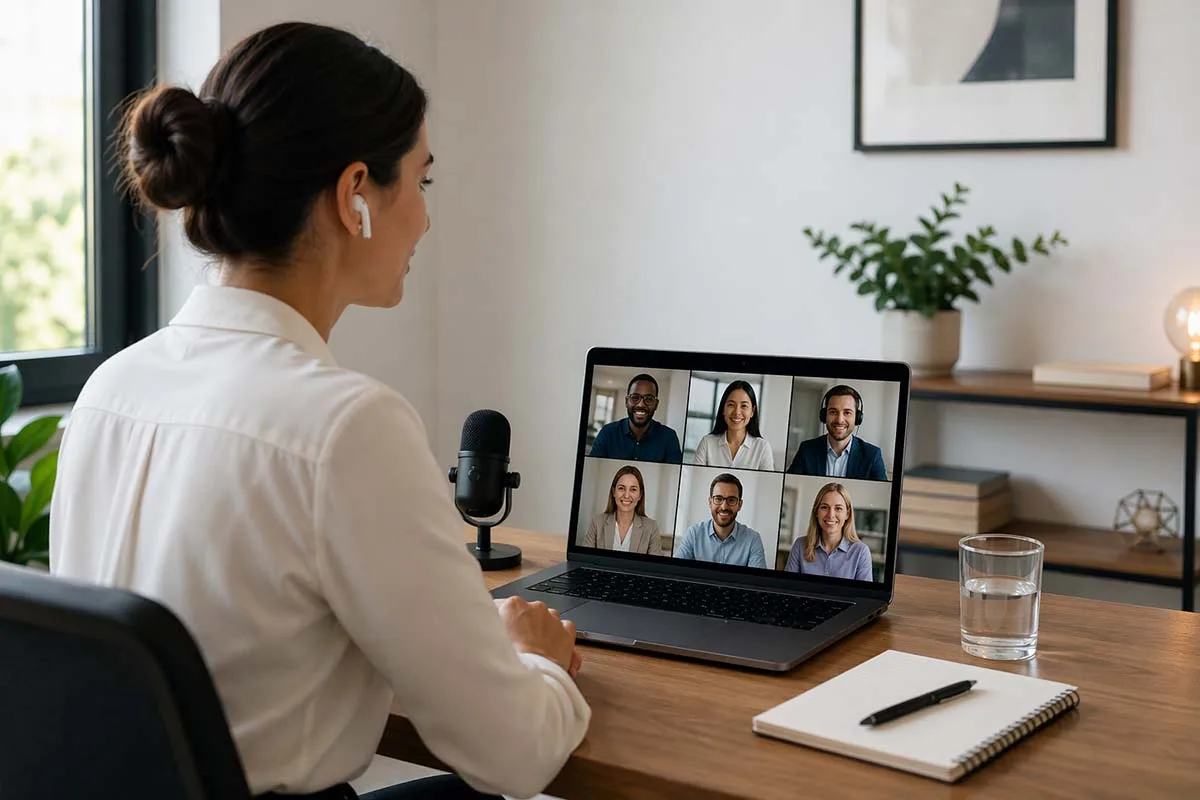
A frozen screen. A barking dog. Someone eating lunch on camera while you present. Virtual meeting etiquette breaks down every single day, and most people never notice it happening.
Video conferencing has become the standard conference room due to remote work and hybrid teams. Yet 77% of workers have lost valuable time because technical problems delayed their online meetings (Owl Labs, 2025). Meanwhile, 50% of professionals spend at least 1 to 3 hours every week on virtual calls.
Your professional reputation shows in every one of those calls. Follow these 15 pro rules and make every minute count.
Why Virtual Meeting Etiquette Matters
Poor behavior in online meetings costs more than just a few awkward moments. It chips away at trust, slows down team collaboration, and quietly damages your professional credibility with every call.
This is the reason it matters more than most people think.
Nonverbal communication accounts for 58% of how people interpret meaning in conversations. On a video call, your camera angle, posture, and facial expressions do most of the talking before you even speak. Without deliberate effort, signals get misread fast.
Good digital meeting rules also protect employee engagement. Teams that follow clear virtual meeting etiquette stay focused, participate more, and finish meetings on time.
In a hybrid work model, the stakes are even higher. Remote and in-person attendees experience the same call very differently. Consistent etiquette keeps both sides equally respected and heard.
Before the Meeting
What you do before a call determines how the call goes. Most virtual meeting etiquette mistakes are made in the ten minutes before joining, not during the meeting itself.
Get these four rules right every time.
Rule 1: Test Your Technology and Connection Ahead of Time
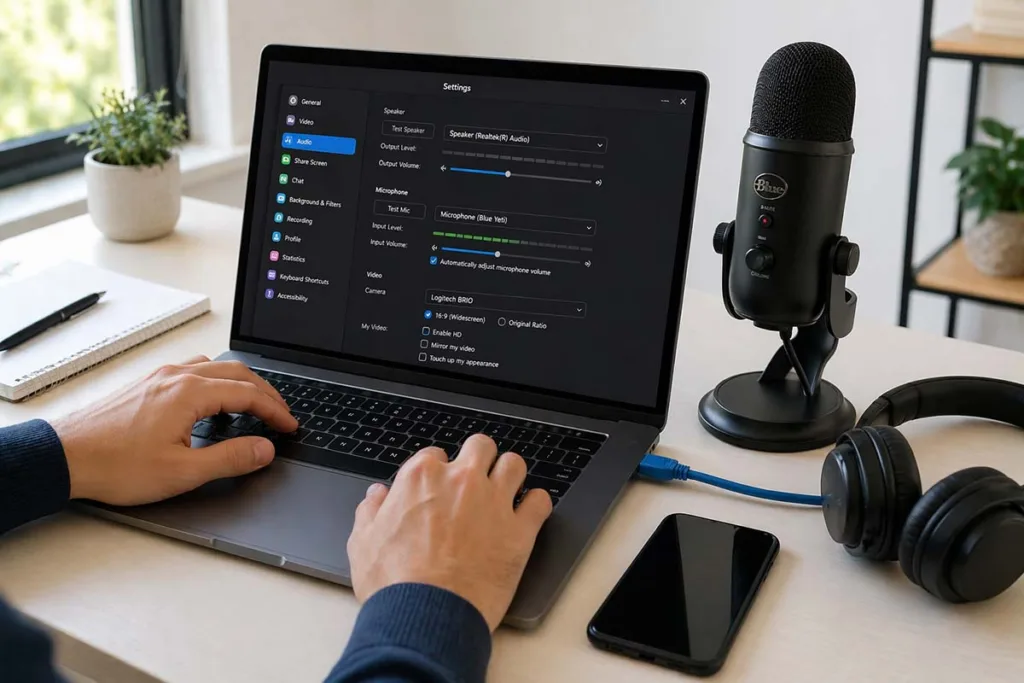
Technical problems are the single biggest disruptor of online meetings. Check your webcam, microphone, and internet connection before every call. Update Zoom, Microsoft Teams, or Google Meet if a prompt appears. Do not ignore it.
If your Wi-Fi is unreliable, plug in an ethernet cable. Wireless connections are never as reliable as wired ones. Close bandwidth-heavy applications like cloud backups, streaming services, or large downloads before joining. They quietly steal your connection speed.
Set your platform to join muted by default. It takes 10 seconds to configure and saves everyone from hearing your background noise while you settle in.
Rule 2: Read the Agenda and Come Prepared
An online meeting without preparation wastes everyone’s time equally. Review the meeting agenda at least 24 hours before the call. Note your talking points. Make a list of the questions you wish to ask.
If you are the host, send the agenda with clear meeting objectives, responsibilities, and timing to all attendees in advance. For teams spread across multiple time zones, use AI scheduling tools to find meeting windows that work fairly for everyone.
Rule 3: Set Up Your Environment and Background
Position your camera at eye level. Looking down at the screen makes you appear distant and disengaged. Use natural light from the front, or place a soft lamp facing you. Avoid sitting with a bright window right behind you at all times.
Choose a clean, neutral space. A virtual background works as a backup, but test it first. Make sure your clothing contrasts with the background so you are easy to see. Inform housemates or family that a meeting is starting to prevent interruptions.
Rule 4: Dress Professionally from the Waist Up
You do not need a full suit. You do need to look intentional. Follow your company’s business casual standards. Choose solid colors over busy patterns, which distort badly on camera.
There is also a practical psychology to this. Getting dressed properly shifts your mindset. It signals focus. Professionals who dress deliberately for video calls perform better in them, because they show up mentally prepared, not just physically present.
During the Meeting – For Attendees
Preparation gets you to the call. How you behave once it starts defines your professional credibility. These seven rules cover every major attendee responsibility, from your microphone to your body language.
Apply them consistently across every call, whether it is a team standup or a client presentation.
Rule 5: Mute Your Microphone When You Are Not Speaking
Join every call on mute. Unmute only when you speak. Re-mute the moment you finish.
It sounds simple. But background noise from an open microphone – a passing car, a fan, a keyboard click – pulls attention away from whoever is presenting. It is one of the most disruptive violations of virtual meeting etiquette.
Use a noise cancellation tool like Krisp if your environment is unpredictably noisy. It works across Zoom, Microsoft Teams, and Google Meet without changing your hardware setup. For fast mute protocol management, memorize your keyboard shortcut. On Zoom, that is Alt+A on Windows and Command+Shift+A on Mac.
Rule 6: Keep Your Camera on and Position It at Eye Level
Your camera is your presence in the room. Turning it off sends an impersonal signal, especially in smaller calls where nonverbal cues carry significant weight.
Keep the camera on as the professional default. Position it at eye level so the angle feels natural to other attendees. If you must turn the camera off, tell the group why and stay visibly active in the chat throughout the call. This maintains connection without the visual.
Zoom fatigue is real. Back-to-back video calls exhaust people. If your organization runs multiple daily meetings, advocate for camera-optional policies on longer or lower-stakes calls. This protects psychological safety and reduces burnout without sacrificing meeting engagement.
Rule 7: Look at the Camera, Not the Screen
Most people watch the faces on their screen during a call. To everyone else, that looks like you are staring slightly downward or off to the side.
Looking directly at the camera lens simulates eye contact for the people watching you. It feels more engaged, more confident, and more present. This single adjustment transforms your virtual body language and video presence dramatically. Practice it until it feels natural.

Rule 8: Stay Fully Present and Avoid Multitasking
Checking emails during a meeting is visible. Scrolling quietly is visible. Tab-switching is visible. People notice more than you think on camera.
Close every unrelated browser tab before the call starts. Silence phone notifications. If you need to take notes, use a pen and paper rather than typing. The sound of keyboard clicks with an open microphone is a common digital distraction that disrupts active listening for everyone else.
Stay engaged. Ask a question. Respond to a point. Meeting productivity improves when every attendee participates rather than observes.
Rule 9: Use the Raise Hand Feature Before Speaking
In formal or large group meetings, use the raise hand feature built into your video conferencing platform before speaking. It prevents two people from talking at once and keeps conversation flow smooth.
In smaller or informal calls, read the room. If the discussion is relaxed and interactive, join naturally. When you finish making a point, pause briefly. This pause accommodates connection lag and gives others a clear window to respond without accidentally interrupting.
Rule 10: Mind Your Facial Expressions and Body Language
Your camera magnifies everything. A blank stare reads as disinterest. A furrowed brow reads as frustration. Neither may reflect what you actually feel, but the person presenting sees it in real time.
Maintain a pleasant, neutral expression while listening. Nod occasionally to signal that you are following along. Sit upright and avoid slouching. Keep your eyes on the screen rather than looking around the room. These small adjustments in virtual presence communicate respect and professional engagement without saying a word.
Nonverbal communication in digital meetings carries as much weight as what you say out loud. Treat it accordingly.
Rule 11: Protect Sensitive Information During Screen Shares
Before sharing your screen, close every application you do not need. This includes email clients, messaging apps, personal documents, and browser tabs with private information.
Choose the option to share a single app rather than your full desktop. Most video conferencing tools including Zoom and Microsoft Teams offer this. It limits what attendees can see to exactly what you intend to show. If you need to switch windows mid-presentation, pause the screen share first. Accidentally exposing private data during a client call is a serious data privacy issue that no apology fully fixes.
During the Meeting — For Hosts and Facilitators
Running a virtual meeting well is a skill most people are never formally taught. As the host, every attendee takes behavioral cues from you. Your structure, your tone, and your time management set the ceiling for how productive the call can be.
These two rules apply specifically to anyone leading an online meeting.
Rule 12: Make Introductions, Assign Roles, and Set the Tone
Start every meeting with a brief welcome. Introduce new participants or guests before diving into agenda items. A room where people do not know each other produces hesitant, low-quality discussion.
Assign clear roles at the start. Every well-run online meeting needs a meeting facilitator, a timekeeper, a note-taker, and a tech host. When people know their role, they show up prepared to fill it. Ambiguity wastes time.
For groups of 10 or fewer, a one-minute icebreaker significantly improves attendee participation and team engagement. For larger groups, a quick poll achieves the same result faster.
Set your mute policy openly. Tell attendees whether they should stay muted throughout or unmute freely. This single instruction eliminates the most common source of audio chaos in video conferencing calls.
Rule 13: Stick to the Timeline and Speak Clearly
Respect the scheduled end time. Always. Meetings that run over signal poor meeting facilitation and erode trust over time.
Speak at a measured pace. This matters especially on calls with international teams or non-native speakers, who rely heavily on lip reading, facial cues, and clear enunciation for full comprehension. Slow down slightly. Avoid heavy jargon when your audience is mixed.
For distributed teams across different regions, cultural sensitivity is not optional. Communication norms vary. What feels direct in one culture can feel abrupt in another. A good host reads the room and adjusts accordingly. Assign a timekeeper if staying on schedule is a recurring challenge.
Hybrid Meeting Etiquette
Hybrid work is now the most common work model in the United States, according to Gallup. That means most teams run meetings where some attendees sit in a conference room while others join remotely. This format creates a natural imbalance that good hybrid meeting etiquette directly addresses.
Rule 14: Include Remote Attendees as Equal Participants
Before the meeting officially starts, pull remote attendees into the pre-meeting small talk. Do not let the in-room group bond while remote participants stare at a static screen waiting for things to begin.
During the call, actively direct questions at remote team members who have not spoken in a while. If a remote attendee and an in-room attendee speak at the same time, give the remote speaker the floor first. They are already at a disadvantage without physical presence.
Never whisper or hold side conversations with in-room colleagues during the call. Remote participants cannot hear it, and it signals exclusion instantly.
Assign one in-room participant a monitor role. Their job is to watch the remote feed, flag audio or video quality issues, and ensure remote attendees stay visible and heard throughout. Position at least one camera to capture the full in-room group, so the virtual meeting experience feels balanced on both sides.
Meeting equity is not a nice-to-have in hybrid teams. It is the foundation of psychological safety and genuine team collaboration.
After the Meeting
The meeting ending does not mean your responsibilities end. What happens in the next 24 hours determines whether the conversation produced real results or just filled a calendar slot.
This is where most professionals drop the ball entirely.
Rule 15: Send a Follow-Up with Clear Action Items and Deadlines
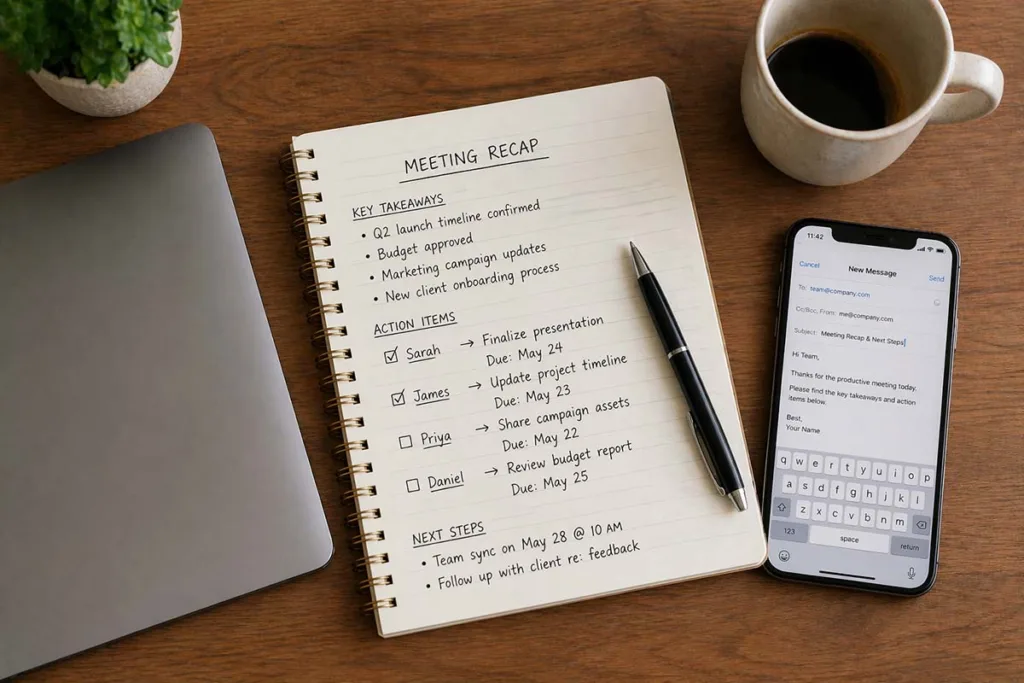
Within 24 hours, send a concise recap to every attendee. Keep it practical. Include the key decisions made, each action item with the responsible person named, and the deadline attached to each task. Also confirm when the next check-in or follow-up call will occur.
AI transcription tools like Otter.ai, Fireflies, Zoom AI, and Microsoft Teams Copilot make this effortless. They automatically capture, transcribe, and summarize your online meeting in real time. No manual note-taking required.
Prompt follow-up eliminates duplicated work. It prevents the same discussion from happening twice in the next meeting. According to the 40/20/40 rule, 40% of a meeting’s total value comes from post-meeting follow-through, not the discussion itself. Treat your meeting minutes and async communication as seriously as the call that produced them.
Quick Checklist – Virtual Meeting Etiquette for Hosts and Attendees
Save this before your next call. These two checklists cover the non-negotiables for both roles.
For Attendees:
- Test your webcam, microphone, and internet connection before joining
- Read the meeting agenda and prepare your talking points
- Dress professionally and set up a clean, well-lit background
- Join on mute with your camera on
- Silence all phone and desktop notifications
- Send or confirm action items within 24 hours
For Hosts:
- Share the meeting agenda at least 24 hours in advance
- Assign a meeting facilitator, timekeeper, note-taker, and tech host
- Set the mute policy at the start of the call
- Actively include remote attendees throughout the discussion
- Stick to the scheduled timeline
- Send meeting minutes and next steps before the day ends
Frequently Asked Questions
Is it impolite to leave your camera turned off when using Zoom?
It depends on context. In small, collaborative calls, keeping your camera off without explanation feels dismissive. For large presentations or back-to-back calls where Zoom fatigue is a real concern, it is generally acceptable. Always notify the host in advance and stay active in the chat.
What are the 5 major points of virtual meeting etiquette?
Test your internet connection and equipment, join on time, keep your microphone muted when not speaking, stay fully present, and send a follow-up with clear action items afterward.
What should you refrain from doing during a video conference?
Avoid multitasking, eating on camera, leaving your microphone unmuted, sharing your full desktop without clearing sensitive tabs, and holding side conversations during hybrid meetings.
What is the 40/20/40 rule for meetings?
It divides meeting value into three parts. Spend 40% on preparation, 20% on the actual discussion, and 40% on post-meeting follow-through. Most teams invest heavily in the middle and ignore the other 80%, which is where real meeting productivity lives.
Conclusion
Virtual meeting etiquette is not about following rigid rules. It is about showing up with intention and respect every time you join a call.
Remote work and hybrid teams are the long-term standard now. The professionals who thrive in this environment are not necessarily the most technically skilled. They are the ones who communicate clearly, prepare consistently, and follow through after every video conference ends.
Fifteen rules. That is all it takes to transform how colleagues, clients, and managers perceive you on screen. Start with one rule today. Build from there. Your professional credibility compounds with every well-run online meeting you participate in.